Web Design
The Same Site Scored 7, Then 100, Then 19. How to Read a PageSpeed Report.
Oct 22, 2026
9 min read
PageSpeed InsightsCore Web Vitals
Read More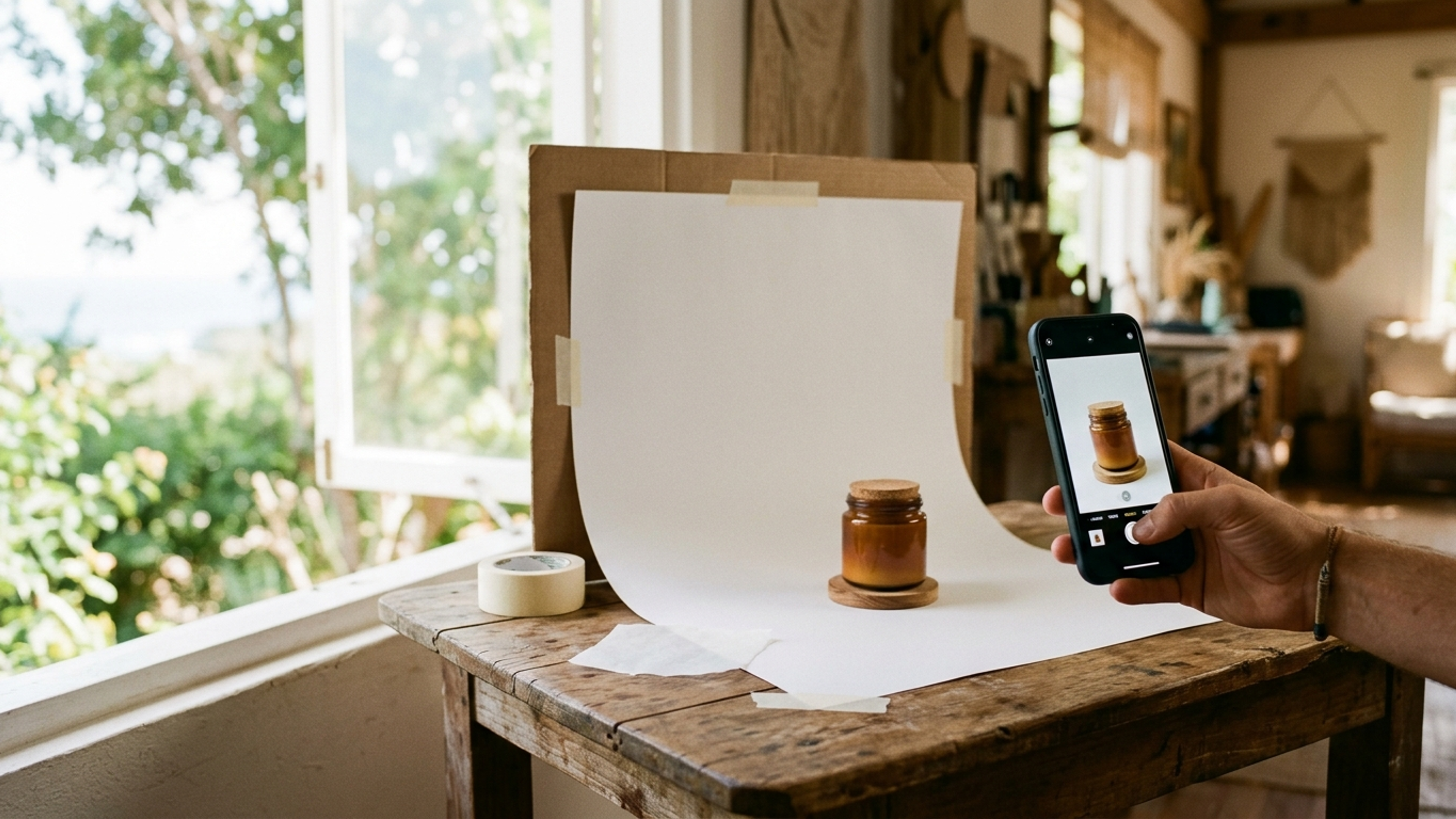
Online, your customer can't pick the product up. They can't feel the fabric, smell the candle, try on the ring, or taste the sauce. Everything a shopper would learn in your physical store, they have to learn from your photos — which means the photos aren't decorating your product pages; they are the product, as far as the buyer is concerned. The data backs this up emphatically: 90% of shoppers say the quality of product photos is extremely or very important to their purchase decision — ahead of price, shipping costs, and reviews. For a Dominican store, that's both a warning and an enormous opportunity, because most of your local competitors are still selling with dark, blurry, cluttered phone snaps. Here's how to shoot product photos that actually sell — without a professional studio — and the technical half most guides skip: keeping them fast.
A shopper's trust works visually. Before they read a single word, they've already judged your product — and your store — from the image: does it look real, does it look cared-for, does this seller seem legitimate? Good photos answer questions before they're asked and objections before they're raised. Bad photos raise a question no description can answer: "if they didn't bother photographing it properly, what else didn't they bother with?" This is why photography punches so far above its weight in conversion. It's also why photos are one of the biggest levers behind returns and disputes: a customer who received exactly what the photo showed is a happy customer; one who received something that "didn't look like the picture" is a refund and a bad review. Honest, clear, complete photography sells more and generates fewer problems — a rare double win.
You don't need dozens of images per product. You need the right four to six:
• The clean hero. The product alone on a plain, uncluttered background — this is the main image, the one that appears in listings, search results, and your WhatsApp catalog. Simple background, product filling most of the frame, sharp focus.
• The detail shots. Close-ups of what quality looks like on your product: the stitching, the texture, the label, the clasp, the ingredients. These are the photos that substitute for touch.
• The context shot. The product in use or in scale — the bag on a shoulder, the plate on a set table, the plant in a room. Context lets the buyer imagine owning it, and it silently answers the most common question in e-commerce: "how big is it actually?"
• The honest shot. If the product has a quirk — a natural variation, a texture that surprises people — show it. The sale you "lose" by being honest is a return you avoided.
• Every variation. If it comes in four colors, photograph four colors. "Color may vary" is a phrase that costs sales.
Here's the liberating truth: a modern phone camera is more than good enough for product photography that sells. What separates professional-looking photos from amateur ones isn't the camera — it's light, background, and consistency, and all three are free.
• Light: use a window, skip the flash. The single biggest upgrade available to any Dominican store owner is shooting beside a big window with indirect daylight — and in this country, there is no shortage of it. Direct hard sun creates harsh shadows; a bright window out of direct sun creates the soft, even light that makes products look premium. Never use the phone's flash; it flattens everything and creates glare.
• Background: plain and repeatable. A sheet of white poster board curved behind the product costs almost nothing and instantly looks professional. The rule is that nothing in the frame should compete with the product.
• Consistency: same setup, every product. Shoot your whole catalog with the same light, background, and angles. A store where every product photo matches looks organized and trustworthy; a store where each photo has different lighting and backgrounds looks like a flea market — even if the products are excellent.
• Editing: restraint. Brighten slightly, straighten, crop. Do not saturate colors beyond reality — the photo's job is to promise exactly what the box will contain.
This is the part most photography guides skip, and in the Dominican market it's half the battle. Your customers are shopping on phones, often on mobile data, and product photos are by far the heaviest thing on a store page. Upload your images straight off the camera and you get a store that looks gorgeous on your Wi-Fi and takes eight seconds to load on your customer's data plan — and slow pages lose sales directly, through abandonment and through Google rankings alike. The craft of serving photos that are both beautiful and fast — modern formats, correct sizing, compression that's invisible to the eye, lazy loading — is exactly what we cover in image optimization for business websites, and it's the difference between photography that converts and photography that quietly drives customers away before it even renders. A properly built store handles this automatically: you upload the big beautiful original, and the site serves each visitor the right size for their screen.
One more practical payoff: shoot this shot list once and it powers every channel you sell on. The clean hero becomes your WhatsApp catalog image and your Instagram grid; the context shots become your stories and posts; the full set lives on your product pages where Google can find them. This matters because image search is a real acquisition channel — product photos on a real website can appear in Google's image results and shopping surfaces, which a photo trapped inside a chat app never will. If your store isn't selling the way it should, the photography is one of the first three things to audit — and if you're still selling entirely through WhatsApp, upgraded photos are also the moment to consider the storefront that lets strangers find them.
If you audit struggling Dominican product pages, the same five photography mistakes appear again and again. First, darkness — shooting indoors at night under a yellow bulb, which makes even new products look secondhand; daylight fixes this for free. Second, clutter — the product photographed on a bed, a car seat, or a busy counter, forcing the buyer to find it in the frame; the poster-board background fixes this for pennies. Third, the single photo — one image where the shot list above needs five, leaving the buyer's questions unanswered and the sale unclosed. Fourth, stolen images — using the manufacturer's or a competitor's photos, which shoppers recognize instantly and which scream "reseller you can't verify," destroying the trust that original photos of your actual stock build automatically. And fifth, the WhatsApp compression spiral — photos forwarded chat to chat until the listing image is a smeared artifact of itself; always upload originals from the camera roll, never re-saved copies from a conversation. None of these mistakes costs money to fix. Every one of them costs sales daily until it's fixed.
Phone photography done carefully covers most Dominican stores brilliantly — but not all. If your product is jewelry, high-end fashion, or anything whose entire value proposition is visual luxury, a professional shoot is an investment that pays back, because at the premium tier your photos are competing with international brands' imagery. Similarly, if you have hundreds of products, a pro with a repeatable setup may cost less than the weeks of your own time. The honest rule: start with the phone-and-window method — it will already put you ahead of most local competition — and hire a professional when the math of your price point or your catalog size says so, not because a guide shamed you into it.
At DR Web Studio we build the other half of this equation: fast, bilingual online stores where your photography looks stunning and loads instantly, with the image optimization handled automatically and WhatsApp and local payments wired in. Bring the photos; we'll build the store that does them justice. Contact us for a free consultation and let's make what you sell look as good online as it does in your hands.