SEO & Performance
What Is a Robots.txt File and Is Yours Blocking Google From Your Website?
May 19, 2026
13 min read
robots.txtcrawling
Read More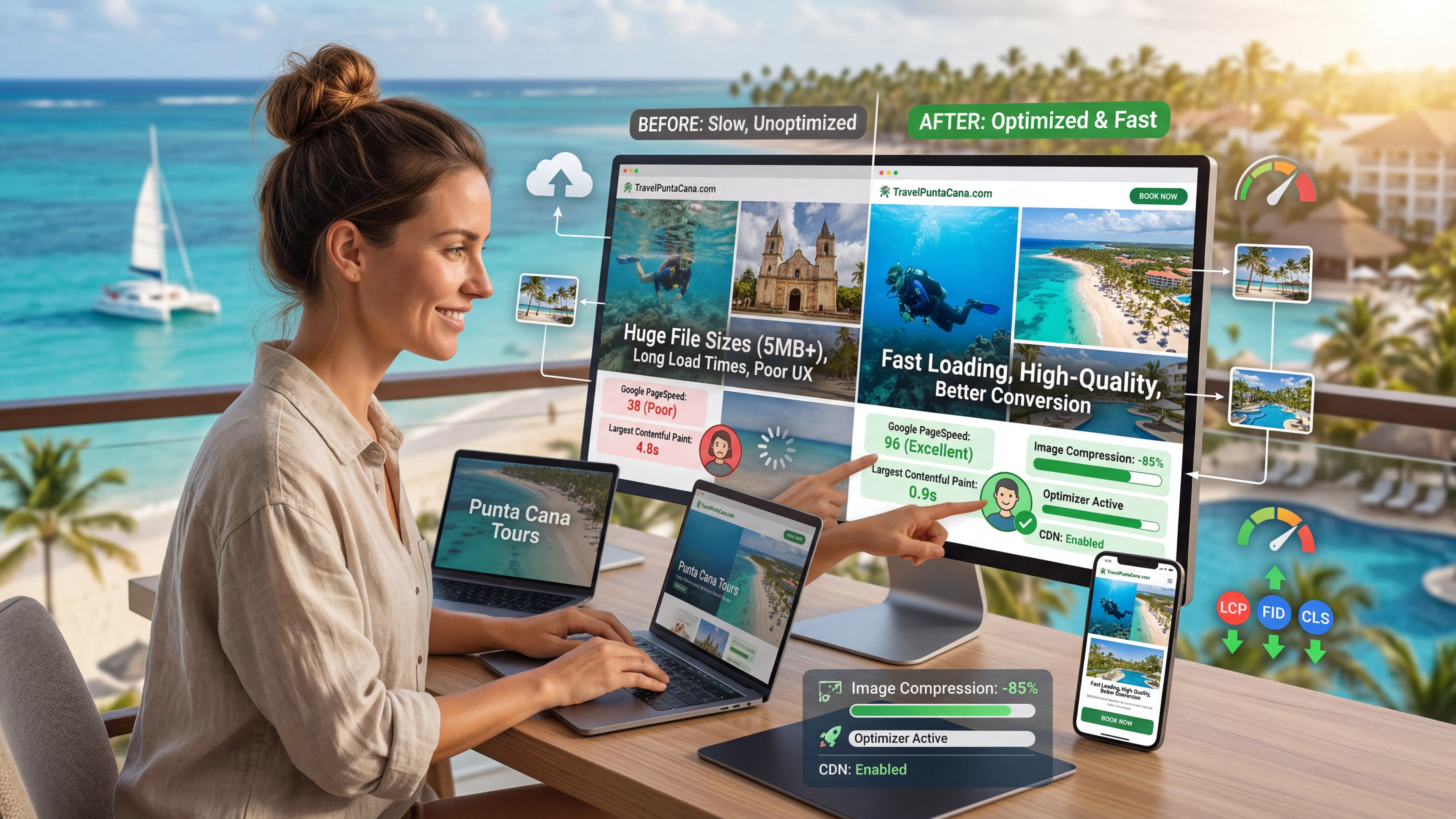
Tourism websites live or die by their photography. A scuba diver hovering above a coral reef in Punta Cana. Sunset light on a beach proposal setup. A wedding reception table with cascading florals. These images are not decoration — they are the product. They are what convince a tourist, hours or continents away, to choose your service over the one below you in the search results.
And they are also, on most Dominican tourism websites, the primary reason those search rankings are lower than they should be.
Images account for 40–60% of total page weight on most websites. When a professional photographer hands over a wedding gallery or a dive photographer delivers underwater shots, the images arrive as RAW files or high-resolution JPEGs — typically 5–15MB each. A homepage hero image at 8MB does not just load slowly. It collapses your Largest Contentful Paint score, tanks your Core Web Vitals, drops your Google ranking, and drives away the majority of mobile visitors before they have seen a single word of your content.
The good news is that image optimization is one of the highest-leverage technical interventions available for Dominican tourism websites. Proper optimization — modern formats, correct sizing, lazy loading, priority loading, CDN delivery — can reduce your image payload by 50–80% with no visible quality difference to visitors. That reduction translates directly into faster load times, better Core Web Vitals scores, higher Google rankings, and more bookings.
This article explains exactly what image optimization involves, why it matters specifically for tourism photography, and how the technology choices behind your website determine whether it happens automatically or requires constant manual attention.
Most categories of business website have images. Tourism websites are defined by them in a way that is categorically different.
A law firm website might have a headshot of each attorney and an office exterior. A consulting firm might have a stock photo hero and a few case study illustrations. These sites can function with minimal photography.
A Punta Cana dive center without underwater photography is not a dive center website — it is a text document. A wedding photographer without a full portfolio is not a photographer website. A tour operator without images of each tour destination, each experience, each moment of joy is not competing for the tourist's booking. Photography is not a component of tourism web content. It is the content.
This creates a specific technical challenge: the more photography-dependent your website, the more weight that photography adds to every page load, and the more damage unoptimized images do to your performance. The businesses that most need fast, high-quality photography are also the ones most likely to be hurt by it if it is not handled correctly.
The pattern is consistent across the Dominican tourism market: a business invests in professional photography — real images of their dive site, their event setup, their venue — and then uploads those images directly to WordPress or their website platform at full resolution. A 4000×6000 pixel JPEG that weighs 12MB gets displayed at 1200×800 pixels on a desktop screen. The browser downloads 12MB to display what 200KB could have delivered at the same visible quality. Google measures this. Visitors feel this. Bookings decline accordingly.
The format your images are saved in has a dramatic effect on file size. Most Dominican websites are still serving photographs as JPEG — a format introduced in 1992 that has been the web standard for decades but is now measurably outperformed by modern alternatives.
WebP delivers images 25–35% smaller than equivalent JPEGs at the same visual quality. A 2MB JPEG served as WebP becomes approximately 1.3–1.5MB. Browser support for WebP exceeds 96% globally — there is effectively no modern browser that cannot display WebP images.
AVIF (AV1 Image File Format) delivers images approximately 50% smaller than JPEG at equivalent quality, and 20–30% smaller than WebP. For photography-heavy tourism websites with large hero images, underwater photography, and high-resolution gallery content, the bandwidth savings from AVIF are material. AVIF browser support crossed 95% globally by early 2026, making it viable as a primary format with WebP and JPEG fallbacks for the remaining ~5%.
For a Punta Cana dive center homepage with five hero images each weighing 3MB in JPEG: serving those same images as AVIF with WebP fallback brings the total from 15MB to approximately 6–8MB — with no visible quality difference to the visitor.
The practical recommendation for 2026: Serve AVIF as the primary format for all photography, with WebP as a fallback, and JPEG as a final fallback for browsers that support neither. This is exactly what Next.js's Image component does automatically — it negotiates the best format for each visitor's browser without any manual intervention required.
What most Dominican websites are doing instead: Uploading full-resolution JPEGs directly from a camera and letting the WordPress media library or page builder serve them as-is, with no format conversion.
A photograph taken on a professional camera is typically 4000–7000 pixels wide. A desktop browser renders at a maximum of about 2560 pixels wide, and most website layouts display content at 1200–1920px. A mobile phone displays a hero image at 360–430 pixels wide.
When you upload a 6000-pixel-wide image and display it in a 1200px-wide layout, the browser downloads the full 6000-pixel file and then scales it down visually. The visitor sees a 1200px image. The browser loaded a 6000px image. The extra 4800 pixels contributed nothing to the visitor's experience and everything to their wait time.
Responsive images — the srcset attribute in HTML, or the automatic multi-size generation in the Next.js Image component — solve this by generating multiple versions of each image at different widths and serving the smallest version appropriate for each device. A mobile visitor gets the 400px version. A desktop visitor gets the 1200px version. A 4K display gets the 2400px version. Each visitor downloads only what their screen can actually display.
For tourism websites, where the same hero image of a Saona Island beach is being viewed by tourists on their phones in hotel rooms as well as on desktop computers at home, the bandwidth difference between serving a responsive image and an unresponsive one can be 80% on mobile — the channel where most booking research happens.
Not all images on a page are equally urgent. The hero image at the top of the page — the one the visitor sees the moment the page loads — is critical. Google measures its loading time as part of the Largest Contentful Paint score. This image must load as fast as possible and should never be deferred.
Images below the fold — in a photo gallery, at the bottom of a service page, in a blog post the visitor may not scroll to — are not urgent. Loading all of them simultaneously, regardless of whether the visitor will ever see them, wastes bandwidth and delays the critical images that determine first impressions.
Lazy loading defers non-critical images until the visitor scrolls near them. A gallery of twelve underwater dive photos at the bottom of a page, loaded lazily, contributes nothing to the initial page load time. They load progressively as the visitor scrolls down — transparently and smoothly. The visitor never notices they were not loaded upfront. The Core Web Vitals score reflects that only the critical images competed for initial bandwidth.
Priority loading does the opposite for the LCP image: it signals to the browser to begin fetching that image as early as possible, before it has finished processing the rest of the page. For a dive center homepage with a full-width underwater hero, adding the priority attribute to that image alone can reduce LCP by 30–50%.
The combination — priority on the LCP image, lazy loading on everything else — represents the optimal loading strategy for any page with significant photography.
Let's be concrete about what this means for a typical Dominican tourism website homepage.
The unoptimized scenario:
The optimized scenario:
The photography is identical. The visitor experience is profoundly different. The Google ranking is substantially different. The booking conversion rate is measurably different — sites loading in under 2 seconds convert at roughly double the rate of sites loading in 4+ seconds.
Largest Contentful Paint — the Core Web Vitals metric that measures how quickly the largest visible element loads — is almost always determined by an image. For tourism websites with full-width hero photography, it is always determined by that hero image.
Google's threshold for a "good" LCP score is under 2.5 seconds. A site serving a full-resolution JPEG hero image will almost never achieve this on mobile. A site serving an AVIF or WebP hero image, sized correctly, loaded with priority, and delivered from a CDN will almost always achieve it.
The LCP image should:
priority or fetchpriority="high" attribute to begin loading immediatelyloading="lazy" applied — lazy loading the LCP image is one of the most common and most damaging technical SEO mistakesFor tourism websites, the hero image is where visitors form their first impression of the experience you offer. It needs to be visually stunning and technically fast. These requirements are not in conflict — they are both achievable with proper implementation.
Cumulative Layout Shift — the Core Web Vitals metric measuring visual stability — is frequently caused by images that load without declared dimensions.
When a browser encounters an <img> tag without explicit width and height attributes, it does not know how much space to reserve for the image before it loads. The page renders the text and other content first, then the image loads and pushes everything else down the page. The visitor, who was about to click a button, finds the button has jumped to a new position. Their click lands somewhere else. This is both frustrating and measurable.
Every image on a properly built tourism website should have explicit width and height attributes declared so the browser can reserve space before loading. This is another thing the Next.js Image component handles automatically — it requires both dimensions at the point of use and uses them to prevent layout shift regardless of when the image loads.
For photography-heavy sites with dozens of images per page, the cumulative CLS impact of images without declared dimensions can push CLS scores from 0.05 (excellent) to 0.4+ (poor) — a failing score that directly affects Google rankings.
An image file sitting on a server in the United States takes approximately 80–120ms to reach a browser in Germany, depending on routing. An image file served from a CDN edge node in Frankfurt takes 5–15ms to reach the same browser. That difference, multiplied across every image on every page, compounds into a measurable LCP improvement.
Content Delivery Networks (CDNs) store copies of your images at servers distributed across the globe — typically dozens or hundreds of edge locations — and serve each visitor from the location physically closest to them. For Dominican tourism businesses whose customers come from Europe, North America, and Latin America simultaneously, CDN delivery is the difference between each market experiencing fast loading and each market experiencing the latency of a server in a distant location.
Cloudinary is the CDN solution we use in DR Web Studio portfolio projects that require CMS-managed media. It provides automatic format negotiation (serving AVIF to browsers that support it, WebP otherwise, JPEG as fallback), automatic resizing, and global edge delivery — all triggered by URL parameters rather than manual image processing. When a property changes in Sanity CMS, the updated images are served through Cloudinary's network at the optimal format and size for each visitor.
Netlify's CDN handles the static assets for Next.js-based sites, with edge distribution across global points of presence. For images managed through the Next.js Image component, this means the optimized, correctly-formatted, appropriately-sized image is served from an edge location near the visitor — not from a single origin server.
For the tourism websites built at DR Web Studio — all of which use Next.js — image optimization is not a manual process. It is an architecture feature that handles optimization automatically.
The Next.js Image component (import Image from 'next/image') does the following without any additional configuration:
Format conversion: Automatically serves AVIF to browsers that support it, falls back to WebP, falls back to JPEG. The photographer's original file can remain in any format — Next.js converts and serves the optimal version for each visitor.
Responsive sizing: Generates multiple sizes of each image (based on a configurable deviceSizes array) and serves the smallest version that looks sharp on the visitor's screen. A mobile visitor gets a 400px image. A desktop visitor gets a 1200px image. A high-DPI display gets a 2400px image.
Lazy loading by default: All images use lazy loading unless explicitly overridden. This means gallery images, below-fold photography, and long-page content never compete with the critical above-fold images for initial bandwidth.
Priority loading for LCP images: Adding the priority prop to the hero image signals the browser to fetch it immediately, before finishing HTML parsing. This alone typically reduces LCP by 0.5–1 second compared to a hero image without priority loading.
CLS prevention: The component requires explicit width and height props and uses them to reserve space before images load, preventing layout shift.
CDN delivery: All optimized images are served through Netlify's CDN for edge-location delivery.
The practical result: a professional photographer delivers a gallery of 50 high-resolution JPEGs from a Punta Cana wedding. Those files get loaded into Sanity CMS. When visitors browse the wedding portfolio page, each image is automatically served as AVIF (or WebP), sized for their screen, loaded lazily as they scroll, and delivered from an edge server near them. The photographer's original files are never touched. The entire optimization pipeline runs in the infrastructure.
This is why the tourism websites built on Next.js in the DR Web Studio portfolio — Grand Bay of the Sea, Punta Cana Photo Edition, Punta Cana Proposal Packages — consistently score 90+ on Google PageSpeed mobile despite being image-intensive tourism sites.
If your website is built on WordPress or a template platform and you are not currently using the Next.js Image optimization pipeline, here is the practical path to improvement.
Step 1 — Assess the damage: Visit pagespeed.web.dev and run a mobile speed test on your homepage and your most image-heavy service page. If your mobile score is below 50, images are almost certainly a primary culprit. Look for the "Serve images in next-gen formats" and "Properly size images" recommendations in the report.
Step 2 — Convert to WebP as a minimum: If you are on WordPress, installing ShortPixel, Imagify, or Smush will automatically convert existing images to WebP and continue optimizing new uploads. This alone can reduce your image payload by 25–35% with no visible quality change.
Step 3 — Add lazy loading: Ensure your theme or page builder is using loading="lazy" on below-fold images. Most modern WordPress themes do this by default. If yours does not, a plugin like WP Rocket or a developer update to your theme template can add it.
Step 4 — Fix your LCP image: Identify the largest visible element that loads first on your homepage (usually the hero image). Ensure it is explicitly sized, served in WebP at minimum, and does not have loading="lazy" applied. Adding <link rel="preload" as="image"> for this specific image in your page header can further improve LCP.
Step 5 — Add dimensions to all images: Every <img> tag should have explicit width and height attributes. This is a one-time fix that immediately improves CLS.
These steps address the most impactful image performance issues on WordPress sites. They will improve your Core Web Vitals scores meaningfully. They will not produce results equivalent to a Next.js image pipeline — but they represent achievable improvements on your current platform.
There is a fundamental difference between a website that optimizes images because its infrastructure does so automatically and a website that optimizes images because someone actively maintains the process.
On WordPress, image optimization requires: installing and configuring optimization plugins, monitoring new uploads to ensure they are being processed correctly, periodically auditing the site to catch images that slipped through, updating plugins as they evolve, and maintaining the performance against the natural degradation that comes with adding content over time.
On Next.js, image optimization requires: deploying the Image component correctly at build time. After that, it is automatic and perpetual. New images added through Sanity CMS are optimized automatically. No plugins to maintain. No monitoring required. No performance regression over time as content is added.
For Dominican tourism businesses whose marketing activity depends on regularly adding new photography — new tour experiences, new wedding galleries, new testimonial photos, new seasonal content — the difference between these two models compounds over time. The WordPress site that was fast at launch gradually degrades as content is added and optimization maintenance is neglected. The Next.js site maintains its performance permanently.
At DR Web Studio, image optimization is part of the architecture of every site we deliver — not a configuration step that happens after launch and not a maintenance task that requires ongoing attention. It is a feature of the foundation.
If you want to understand exactly what your current site's image performance looks like and what a properly optimized site would score instead, request a free consultation. We will run a PageSpeed audit, identify your LCP image, show you the format and size issues on your highest-traffic pages, and explain exactly what the gap represents in terms of Google rankings and booking conversions.
Your photography deserves to be seen. A properly optimized site ensures it loads fast enough for that to happen.